
Name-Based Case Searches
Start with the court that holds the record. For Crawford Superior and Juvenile questions, the Clerk's Case Search link is the doorway. But the Icon screen demands a UserID, password, CAPTCHA, and login. PeachCourt serves as the state-listed Superior document route. It also requires an account. Probate offers its own public search suite. Type a party name into the wrong court. You will learn nothing about whether the case exists there at all.
Enter the full name exactly as the notice or caption shows it. When results come back, compare the court, the case style, the filing year, and the parties before trusting a match. The county's Icon Case Management route opens on a login page. It offers no anonymous search form. The Crawford Probate page links out to separate searches. It covers estates, wills, traffic, guardianships, deaths, marriages, and other probate categories.
- Choose Superior, Juvenile, Probate, Magistrate, or Roberta Municipal Court.
- Enter the party name with the court's own search route and keep spelling variants in mind.
- Compare the case style, court, filing year, and any number before opening a result.
- Read events, settings, notes, and document indicators separately.
- Call the clerk when the search is login-gated, empty, restricted, or tied to an urgent date.
What a public result gives you varies. It may be a calendar slice, a case index, or a document route, and those three are not interchangeable.
Crawford County Icon Search Fields
The Crawford Icon Case Management page is titled “Please Login”. It displays version 5.1.3.1. Everything on that screen is for authentication. There is no public case-type dropdown, no party-name box, and no case-number field. No date range, result limit, pagination, export control, or refresh schedule appears without credentials.
| Visible control | Type | What it means |
|---|---|---|
| UserID | Text | Account sign-in field; public search required status not published. |
| UserPassword | Password | Account sign-in field. |
| CAPTCHA image | Image challenge | Challenge required before login can proceed. |
| Type the code from the image | Text, maximum five observed | CAPTCHA response field. |
| Remember User Name | Checkbox | Optional sign-in preference shown on the page. |
| Log In | Action | Submits authentication; no anonymous Search button was visible. |
A login screen is an access boundary. It does not prove Crawford has no public case information. When Icon access is not available, turn to PeachCourt, the static calendar PDFs, the Clerk's counter, or a phone call.
Case Number Searches
Crawford's published calendar samples reveal two handy patterns. The criminal status conference sample uses a year prefix followed by CW and a sequence, such as 26-CW-###. The civil motion sample swaps in CV, giving 26-CV-###. Both are anonymized format descriptions. Copy the punctuation and spacing exactly as the official notice prints them.
Keep the caption and court beside the number. A number is a locator, not a result. Probate traffic, Magistrate, and Roberta municipal citations may follow a different local convention that the county has not published. The city page offers no public citation-number search field.
When a number fails, check three things: the court level, the filing year, and whether the document is restricted. A fallback request to the Clerk should list the case number, the style, the approximate year, and the event or document sought.
Crawford County PeachCourt Registration
Georgia's E-Access directory sends Crawford Superior searchers to PeachCourt. The login page asks for an email and password. Registration goes further. It requests a name, email confirmation, password confirmation, a secret question and answer, a reCAPTCHA, and agreement to the terms. No court selector appears in the initial registration form. No Crawford result table opens without an account.
The Clerk's notice says document access covers open or closed civil cases. You can preview the first page before buying. A purchased PDF stays with you. The Clerk does not post a per-document price, so expect to confirm the cost directly. PeachCourt is a document and filing route, not a free, anonymous statewide case search.
The PeachCourt registration page shows the account fields. Those fields stand between a public directory link and a document view.
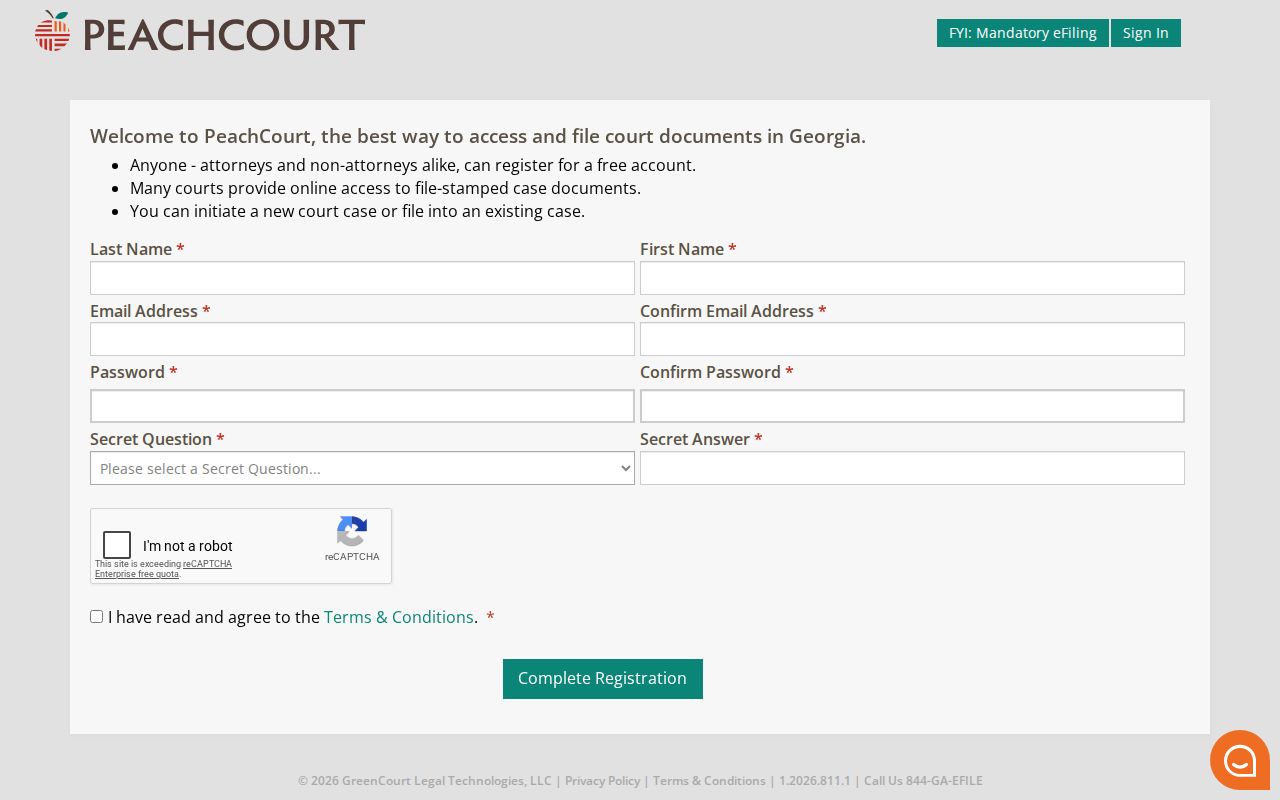
A registration screen is an account-flow reference, not a Crawford case result. If the account path will not answer a case-specific question, the Clerk will.
Case Search Results Explained
Every system answers differently. A case search may return a caption, number, court, filing date, party list, event list, calendar entry, or document link. Crawford's static PDFs show concrete field groups. Icon results stay behind a login, and PeachCourt hides its search fields until you have an account. Never assume one result screen holds the entire register.
| Case number | The local identifier used to match a case across a calendar and clerk inquiry. |
|---|---|
| Style or caption | The party or State of Georgia caption that helps distinguish similar names. |
| Filing date | A date marker for the case or pleading, not a hearing date. |
| Event or setting | A docket entry or calendar item showing a scheduled or recorded action. |
| Notes and status | May explain a motion or continuation, but can omit the later order. |
| Document | A complaint, order, motion, judgment, or other filed image requiring the proper access channel. |
Read each result line with care. A calendar row marked “Continued from prior date” is not a dismissal. A motion title is not a ruling. A payment confirmation is not a disposition. When you need an official judgment or order, move from the index to the document or certified-copy route.
Crawford County Historic QuickLink
Crawford QuickLink is an official county-linked service built for historical land-index research. It is not a modern Superior, Probate, Magistrate, or municipal case register. Its index range runs from 1830 through 1989. It supports searches by type, year, parties, last name, first name, or book, volume, and page. That range makes it valuable for genealogy and land history. It is not for a current criminal setting.
Do not mistake the search page's fields for a civil docket search. They query historic index books and land documents. For a present court case, return to the right clerk, calendar, or document route. For an older property question, keep the book and page details handy. Then ask the Clerk or vendor what document path follows the index.
The Crawford QuickLink search shows the historic field set.
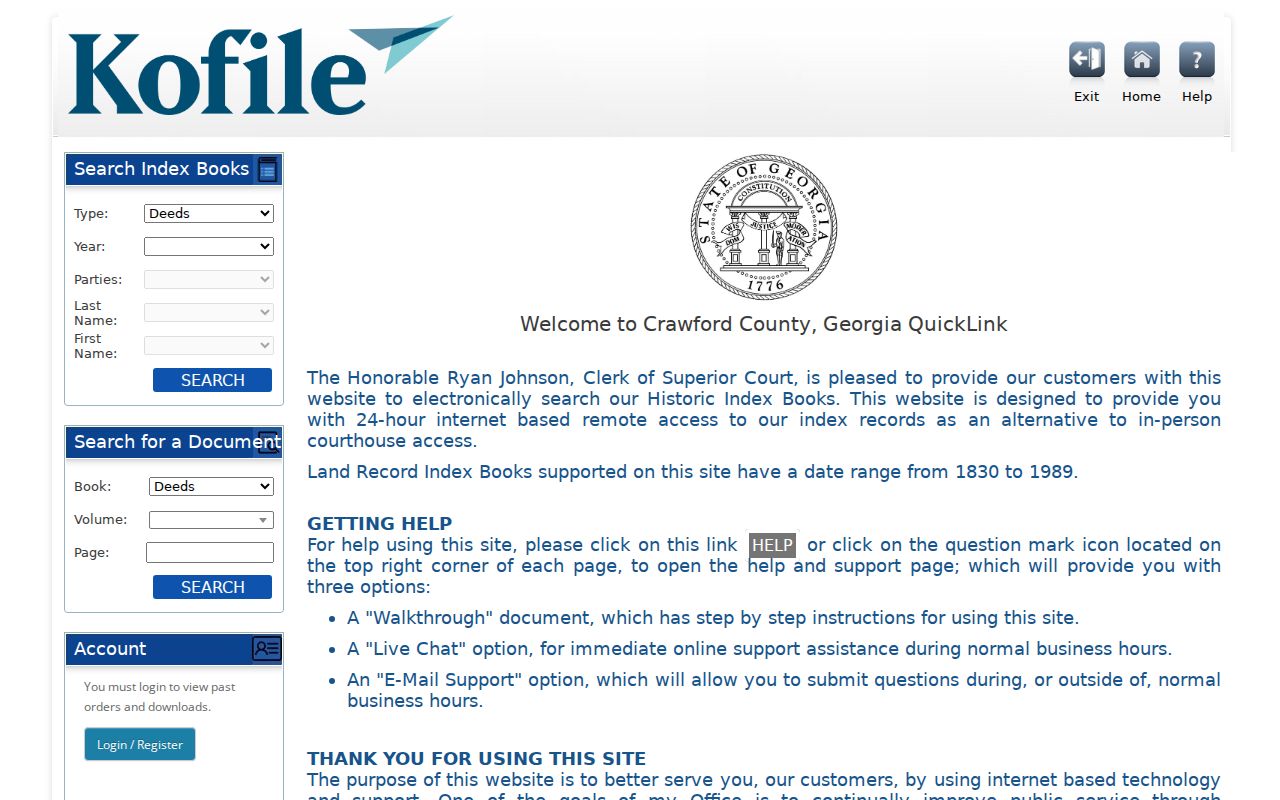
A type and book-page index is one thing. A case event register is another. The distinction matters here. For search help and support notes, the vendor's Crawford QuickLink help page covers the historic records side, which is a different task from a modern docket search.
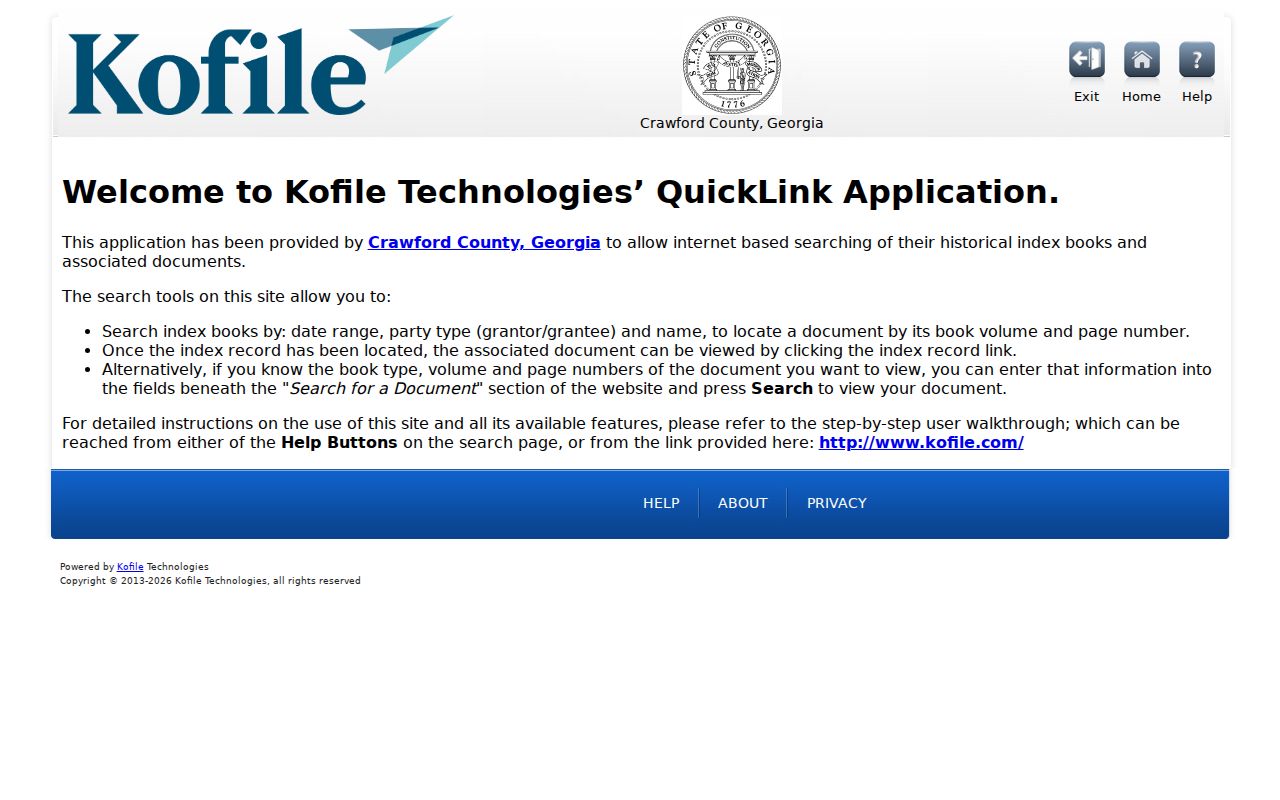
The help material supplies historical context. It does not mean QuickLink holds current Crawford County court cases.
Two Ways to Search: County and State
Georgia runs statewide court services. The Georgia Judicial Gateway sits at that level. Its court-navigation resources explain how the state layer works. What the state does not offer is a single statewide public docket search aimed at Crawford County cases. The two layers serve different jobs. A state directory can point you toward the right vendor. But the local clerk or portal is what actually supplies case records and documents.
| Layer | What it provides | Crawford use |
|---|---|---|
| County clerk | Custody of Superior and Juvenile files, calendars, copies, and local fallback | Ryan Johnson's office, Icon, counter, phone, and mail |
| Georgia E-Access | Directory routing for electronic court access | Sends Crawford Superior to PeachCourt |
| PeachCourt | Account-based Superior e-filing and document path | Search, preview, and purchase described for civil documents |
| Probate Records | County, name, and date searches for probate categories | Estates, traffic, wills, guardianships, and more |
A click through a state directory may land on a login or registration screen. That is normal routing, not a statewide case result for your search.
Crawford County Probate Search
Probate offers the clearest name-and-date route into Crawford County records. The estate form takes county. It also takes the deceased's last and first name, deceased date ranges, and filed date ranges. Will and guardianship forms add name, executor, filed, or granted dates. The traffic form works from county, last name, and first name. It also uses violation dates, disposition dates, and court dates.
Crawford appears in the county list on the estate and traffic forms. The hearings form is different, though. Its Court list omits Crawford. A hearing question should instead go to the Probate Court office at 478-836-3313. Do not simply pick another county from that form.
The Probate estate search shows this county-and-date-field pattern. It stands apart from Icon, PeachCourt, and the historic QuickLink. Use it only for Probate estate records.
Which Cases Stay Restricted
Juvenile, adoption, sealed, and protected-identifier records follow different access rules. Crawford County's certified-copy instructions exclude sealed records, adoptions, and juvenile cases outright. Georgia Rule 21.6 governs protected identifiers and restricted pages. O.C.G.A. §15-11-704 generally bars inspection of Juvenile Court files. A court order or exception can still open them.
A blank result means nothing by itself. It is not a dismissal or an acquittal. Nor is it an expungement, or proof that a case never existed. The Icon screen shows no public "restricted" label, and Crawford publishes no restriction database. Ask what portion the court or Clerk can release. Also ask whether a redacted version exists.
Access check: use the relevant clerk's court-specific process first. The Attorney General explains that court files are public but Superior, State, Probate, and Magistrate Courts are not handled through the ordinary Georgia Open Records Act request procedure.
Crawford County Clerk Call Prep
A focused call can save you a second search. It helps when a case lookup comes back empty or a date looks wrong. The Clerk's own form and calendar fields point to what helps. Have the court, the case number, and the style. Know the filing year, and the event or document you need. A name alone is thin. It may match several people or several court levels at once.
- Write down the exact party name or caption from the notice.
- Keep the case number, including its year and court letters, if available.
- State whether the question concerns a date, docket event, document, or certified copy.
- Tell the office whether the matter may be Juvenile, adoption, sealed, Probate, Magistrate, or Roberta Municipal.
Superior and Juvenile records: call 478-836-3328, or visit the Clerk's counter at 100 GA Highway 42 South, Knoxville, during published weekday hours. Probate takes 478-836-3313. The Magistrate numbers are 478-836-5804 and 478-836-4439. Roberta Municipal Court lists 478-836-3119.